Merge contract and usage
Assign license items to the appropriate evidence and compare purchased, assigned and required quantities.
FREE WHITEPAPER · BBI SOFTWARE AG
Bring together contract status, actual usage and upcoming renewals. The guide supports IT, purchasing and specialist departments in clarifying responsibilities and making decisions in a timely manner.
5 pages · Email confirmation required · No automatic newsletter subscription
FOR YOUR NEXT STEPS
For those responsible for IT, purchasing and software licenses.
Assign license items to the appropriate evidence and compare purchased, assigned and required quantities.
Record external change deadlines and an internal decision date with sufficient advance notice.
Give each open position a responsible person, a clarification order and a date.
A FIRST INSIGHT
The guide recommends a manageable start: Choose five contracts with a close deadline, high costs or great importance for the company. Unclear license coverage is also early on the list.
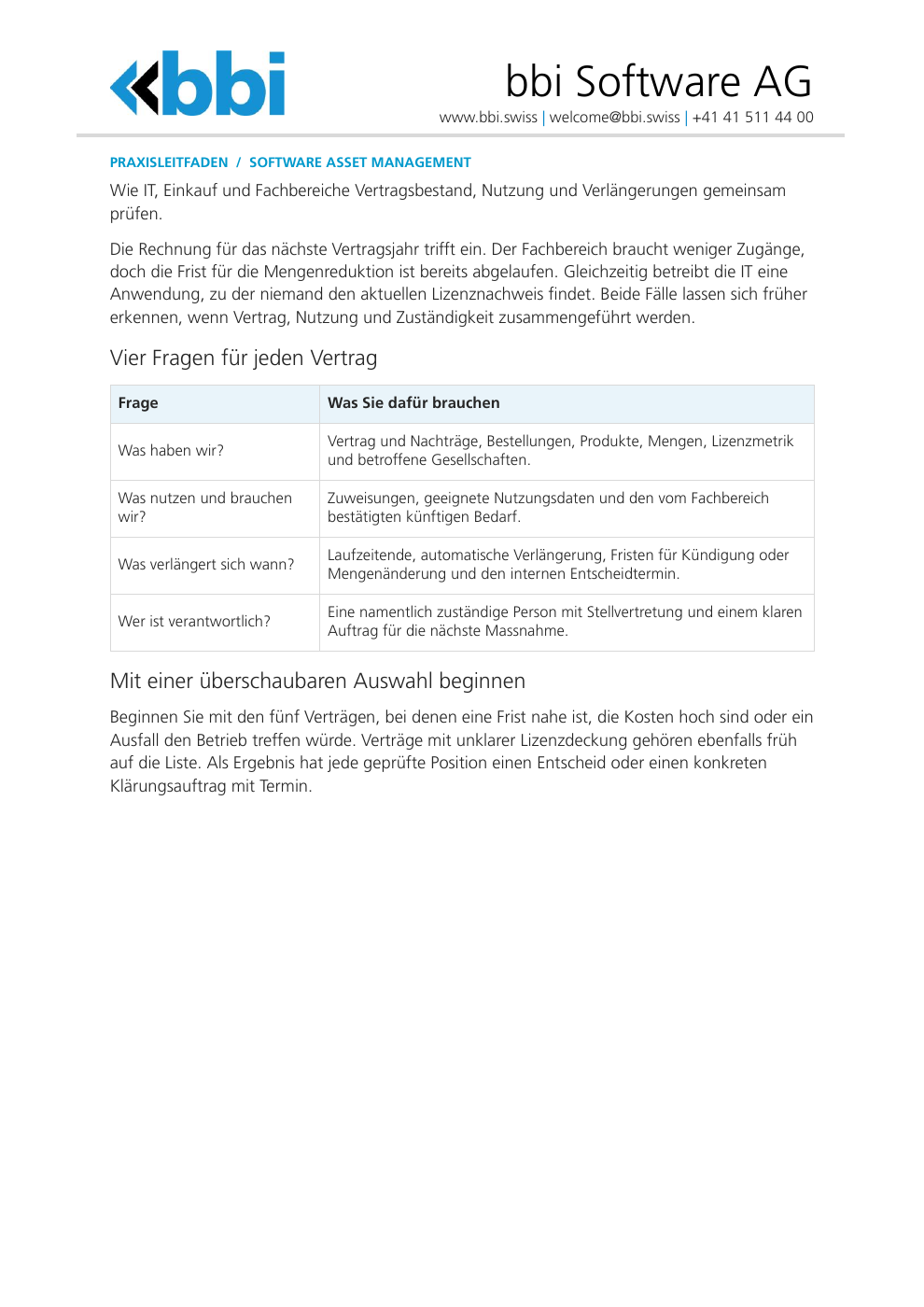
The preview contains a selected content page. You will receive the complete PDF with 5 pages after registering for free.
QUESTIONS FROM PRACTICE
The guide suggests the first five contracts with close deadlines, high costs or high operational importance. Unclear license coverage is also a reason for early review. Every position examined should end with a decision or a specific clarification order including a deadline.
A contract can include multiple products, additional modules and orders. Record common deadlines and contractual partners at contract level and assign the individual product quantities with their evidence. This means that different orders remain traceable without having to maintain the contract data multiple times.
The annual appointment creates an overall overview. In addition, the white paper recommends a monthly check of open deadlines as well as the ongoing recording of entries, departures, orders and infrastructure changes. Set internal decision dates before the earliest relevant external deadline.
Separate quantity purchased, quantity allocated or provided, observed usage and future demand. Low activity is initially a test indication. Only the feedback from the department and the contractual metrics show whether quantities can be reduced or additional rights are required.
5 PAGES FOR YOUR PRACTICE
Get the documentation for your next steps.
5 pages · Email confirmation required · No automatic newsletter subscription
FROM READING TO APPLYING
Manage software licenses and contracts centrally. Up to 26 license positions free of charge, with company areas, account storage and Excel export.
Get to know the tool →FREE TOOLAssess Software Asset Management free of charge: process twelve checkpoints and record next steps with evidence, those responsible and a PDF report.
Get to know the tool →FREE TOOLPlan your IT budget for free: record quantities, prices and running times, identify monthly costs and include a reserve. With PDF and Excel output.
Get to know the tool →Purchased, assigned and actually needed: With Microsoft 365 these are often different quantities. The guide shows how IT and purchasing check requirements, product selection and contract quantities together.
Get to know the white paper →Which rights remain, which conditions change and what does it cost to operate over the next term? Prepare the next extension together with IT and purchasing.
Get to know the white paper →