Purchased, assigned, actually needed
Recognize where your license quantities diverge and which deviations you should check.
FREE WHITEPAPER · BBI SOFTWARE AG
Purchased, assigned and actually needed: With Microsoft 365 these are often different quantities. The guide shows how IT and purchasing check requirements, product selection and contract quantities together.
5 pages · Email confirmation required · No automatic newsletter subscription

FOR YOUR NEXT STEPS
For those responsible for IT, purchasing and software licenses.
Recognize where your license quantities diverge and which deviations you should check.
Check which employees need which features, including security and device management.
Clarify in good time which quantities can be contractually reduced. A user license removed does not reduce the bill.
A FIRST INSIGHT
The fictitious calculation example in the guide shows how IT and purchasing determine requirements: 16 of 280 allocations are eliminated, six entries are added. With 30 avoidable licenses at an assumed CHF 22 per month, CHF 7,920 annually before VAT is up for discussion - provided the contract quantity can be reduced accordingly. This is not a savings guarantee.
How to check whether your quantities can be adjusted.
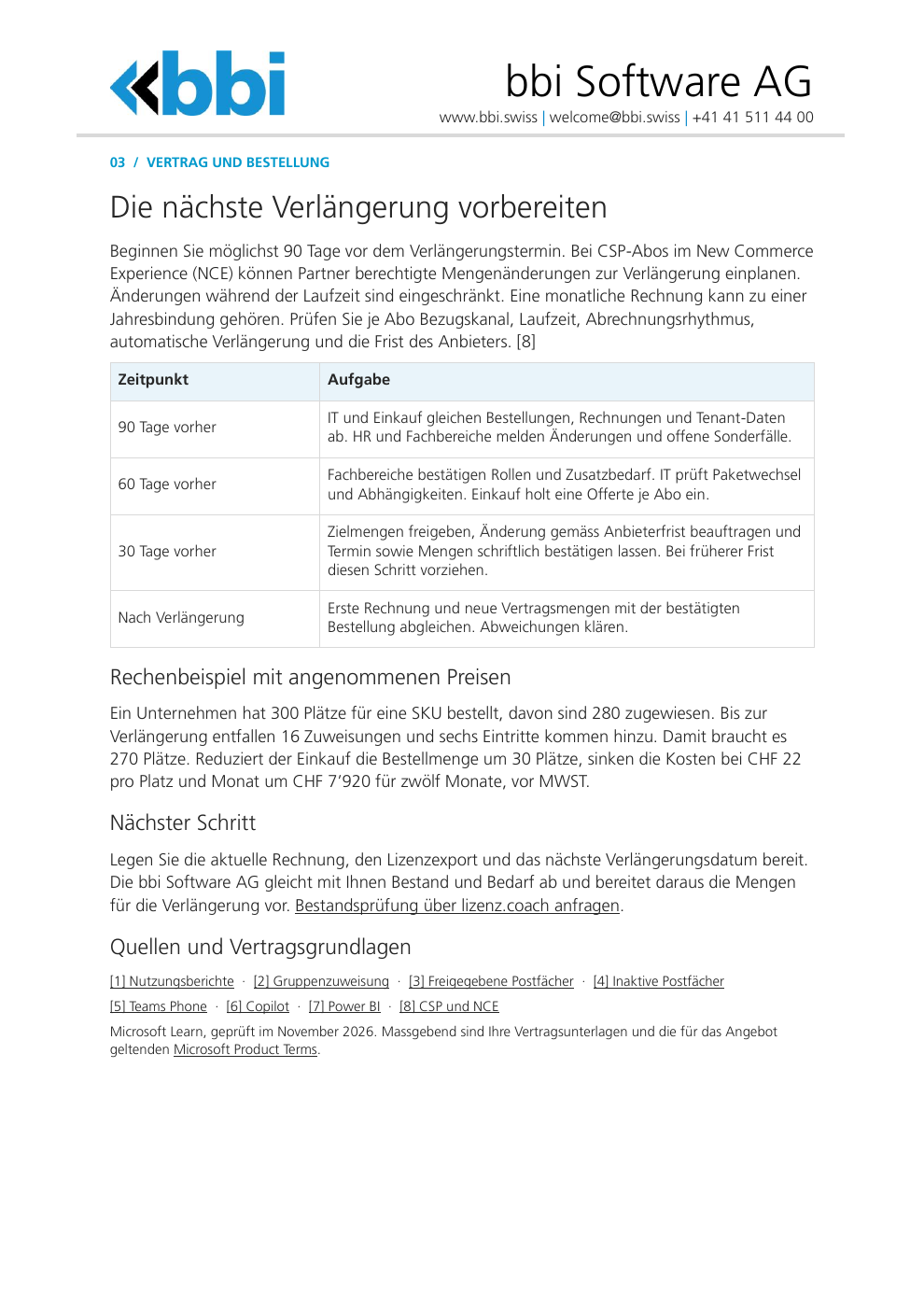
The preview contains a selected content page. You will receive the complete PDF with 5 pages after registering for free.
QUESTIONS FROM PRACTICE
Put each product purchased, assigned and required next to each other. Purchasing delivers the order and invoice, IT delivers the assignments from the tenant and the departments deliver the confirmed requirements. Use the same deadline and assign the target quantity to the respective subscription with its renewal date.
A released allocation and a reduced contract quantity are two separate steps. IT reports free spaces to purchasing; This checks when and under what conditions the order quantity can be adjusted. After the extension, compare the first invoice with the confirmed change.
Compare the actual features required per role. In addition to Office and email, device management, access protection, archiving or storage can be crucial. Also check add-ons and their base licenses and test the switch with representative users before ordering the target quantities.
In the fictitious example, 300 places have been ordered and 280 allocated. Until the extension, 16 allocations will be canceled and six entries will be added: The confirmed requirement is 270. With the same CHF 22 per place per month, 30 fewer places ordered over twelve months save CHF 7,920 before VAT. The prerequisite is the timely contract reduction; the price is an example assumption.
5 PAGES FOR YOUR PRACTICE
Get the documentation for your next steps.
5 pages · Email confirmation required · No automatic newsletter subscription
FROM READING TO APPLYING
Manage software licenses and contracts centrally. Up to 26 license positions free of charge, with company areas, account storage and Excel export.
Get to know the tool →FREE TOOLPlan your IT budget for free: record quantities, prices and running times, identify monthly costs and include a reserve. With PDF and Excel output.
Get to know the tool →FREE TOOLCompare two software offers for free: bring prices, quantities, terms and currencies onto a common basis and document them as a PDF.
Get to know the tool →Bring together contract status, actual usage and upcoming renewals. The guide supports IT, purchasing and specialist departments in clarifying responsibilities and making decisions in a timely manner.
Get to know the white paper →Which rights remain, which conditions change and what does it cost to operate over the next term? Prepare the next extension together with IT and purchasing.
Get to know the white paper →